> ## Documentation Index
> Fetch the complete documentation index at: https://dripart-feat-giscus-unauthenticated-handling.mintlify.site/llms.txt
> Use this file to discover all available pages before exploring further.
# Import models
> Learn how to import models from Civitai to Comfy Cloud
This is a **Comfy Cloud** feature and is only available in the cloud version. To learn more about Comfy Cloud, see [Comfy Cloud](/get_started/cloud).
## Overview
Comfy Cloud allows you to import models directly from Civitai. This feature is available for users with a **Creator** subscription or higher.
## Requirements
* **Subscription**: Creator tier or above
* **Supported source**: Civitai only
## How to import models
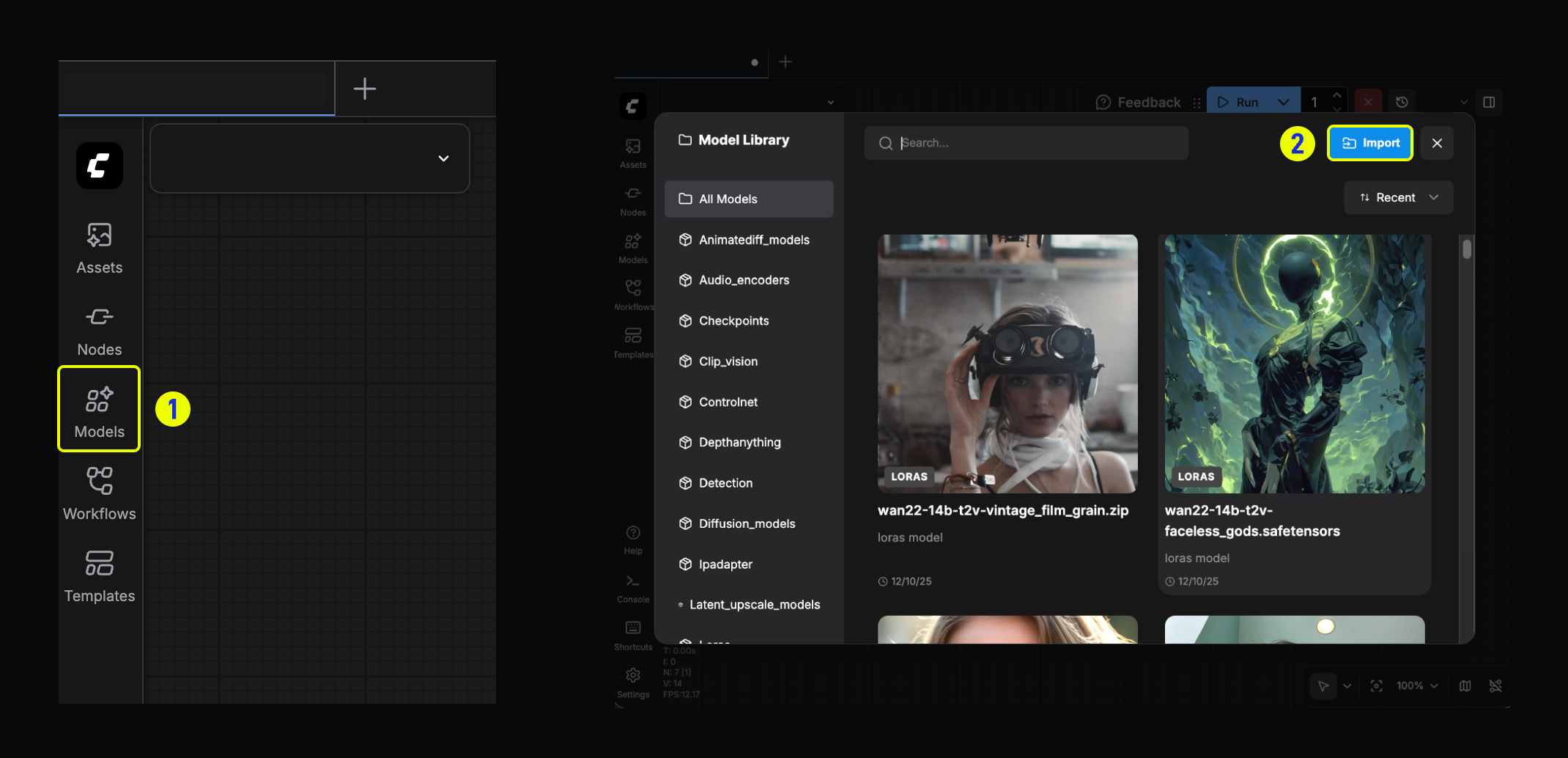 1. Click the **Models** button in the left sidebar to open the Model Library.
2. In the Model Library modal, click the **Import** button.
1. Click the **Models** button in the left sidebar to open the Model Library.
2. In the Model Library modal, click the **Import** button.
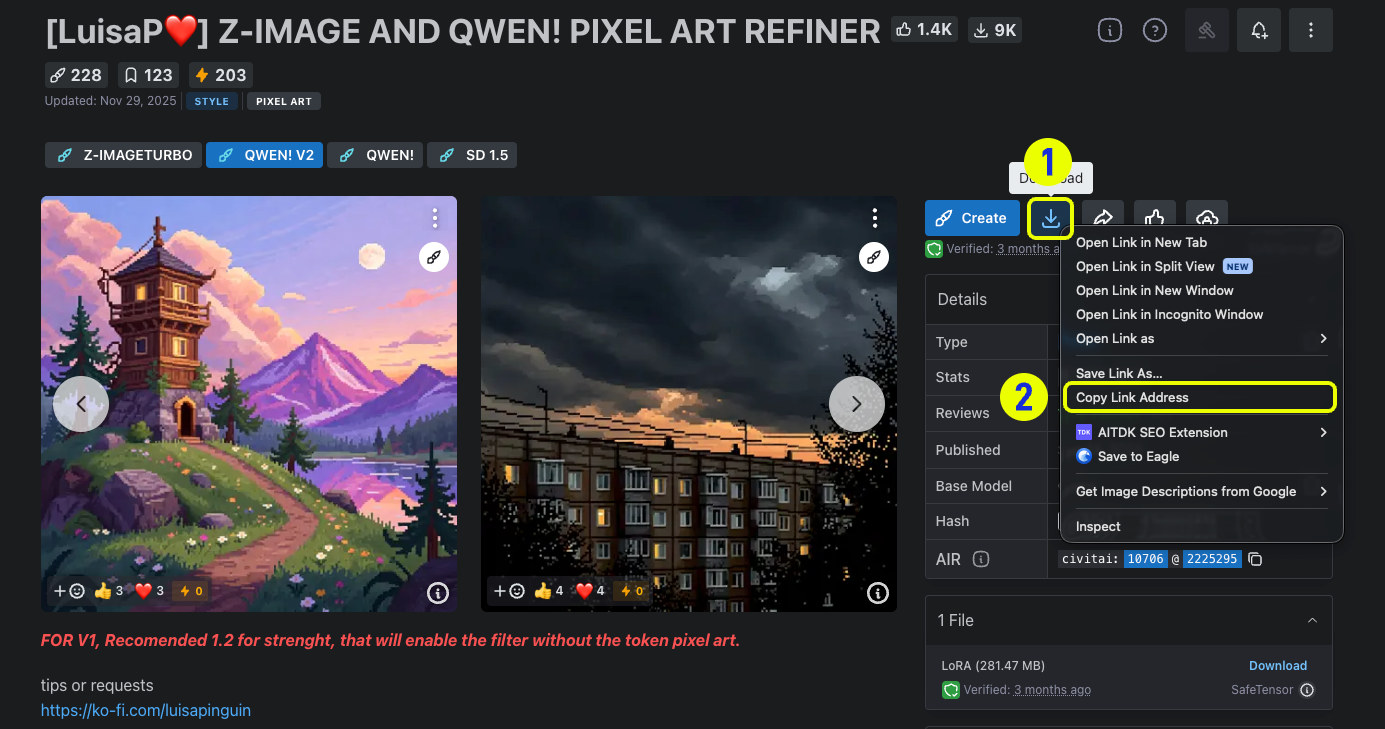
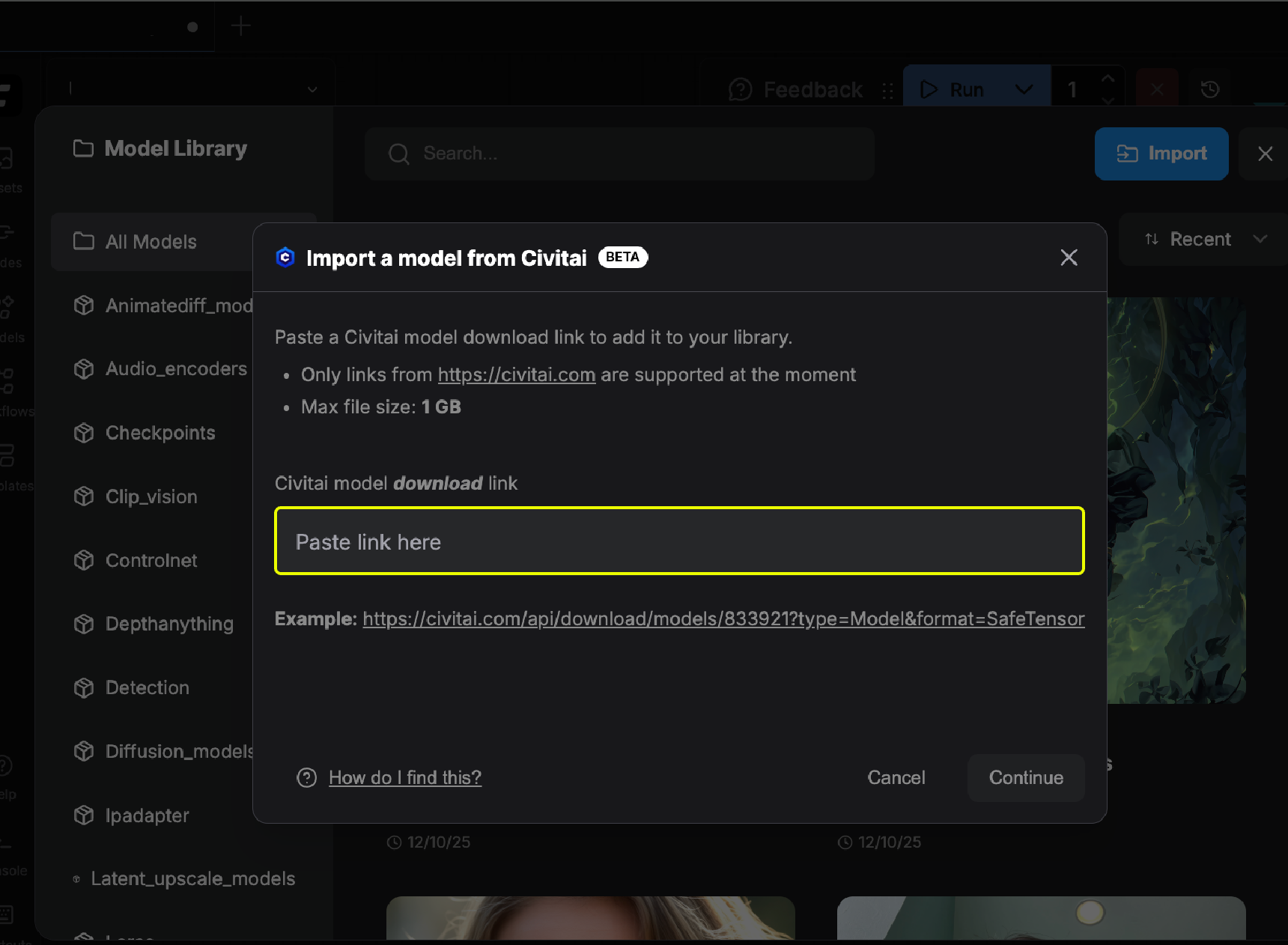 3. Copy the download link of the model from [Civitai](https://civitai.com/).
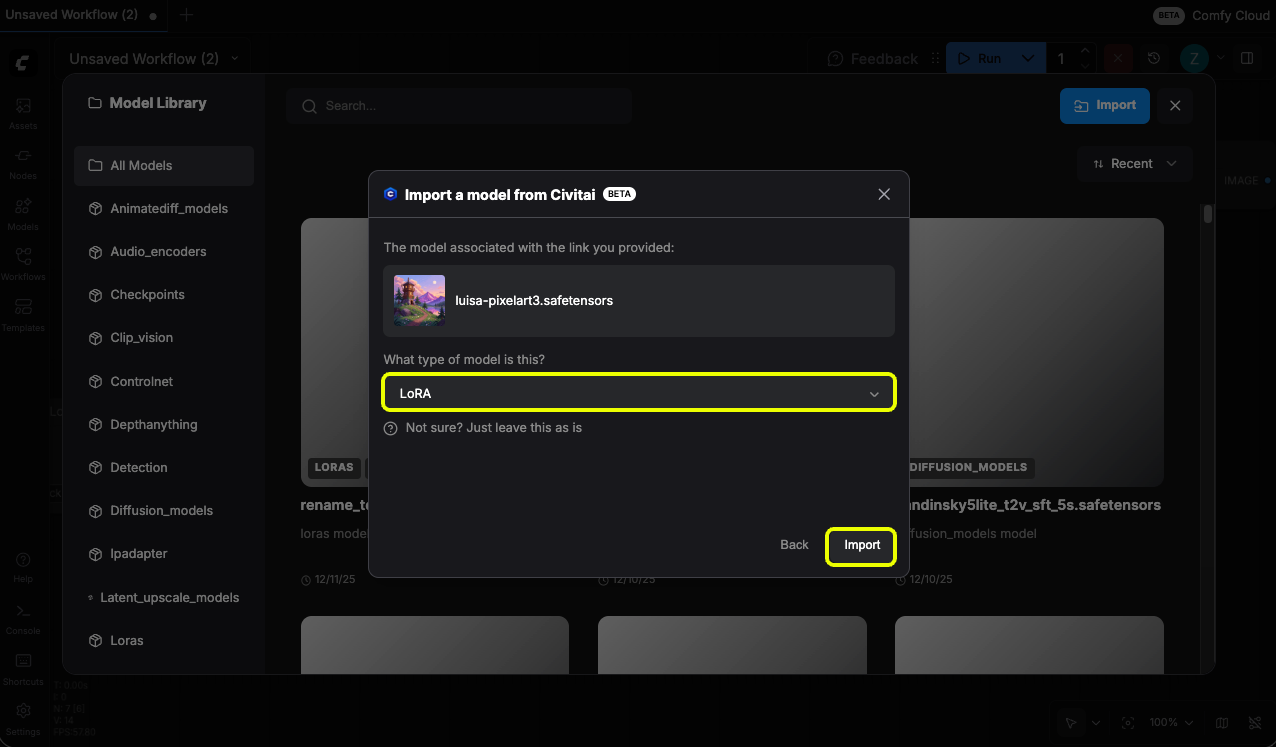
 4. Choose the target folder and import the model.
 ## Limitations
* Currently only Civitai models are supported; Hugging Face support will be coming soon
* Requires Creator subscription or higher
## Limitations
* Currently only Civitai models are supported; Hugging Face support will be coming soon
* Requires Creator subscription or higher